| Main centres: | 1-3 business days |
| Regional areas: | 3-4 business days |
| Remote areas: | 3-5 business days |
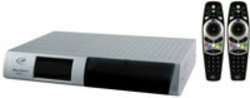
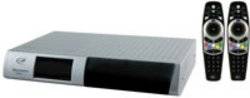
For Sale : One SD PVR Decoder, in good working order. The SD Decoder supports Xtra View with a newer decoder, and supports dual view and simultaneous recording of another channel. The PVR unit and 2 remote controls are supplied
The PVR offers subscribers the following features:
Pausing, fast forwarding, rewinding and slow motion, commonly referred to as Trick Modes
Although the front panel of the PVR looks similar to the Dual View decoder, there are distinct differences

| 1 | V- | Decreses the volume level when variable audio outputs are used |
|---|---|---|
| 2 | P+ | Changes to the next available channel |
| 3 | Pause/Play | Pauses viewing or plays a recording |
| 4 | USB Connector | Reserved for future use |
| 5 | Smartcard Slot | Insert the Smartcard in this slot |
| 6 | P- | Changes to the previous available channel |
| 7 | V+ | Increases the volume level when the variable audio outputs are used |
| 8 | Standby | Switches the PVR between normal and standby modes |
| V- and P+ | When pressed simultaneously, mutes the PVR | |
| P- and V+ | When pressed simultaneously, resets the PVR | |

| 1 | Video and Audio Outputs | Connect to the video and audio inputs of the TV This video output is for TV2 only |
|---|---|---|
| 2 | RF In | Connect to the terrestrial antenna (F-Type adaptors may be necessary) |
| 3 | Coaxial Digital Audio Output | Connect to the coaxial input of the Home Theatre amplifier |
| 4 | Video Output | Connect to the video input of the TV This video output is for TV1 only |
| 5 | VCR SCART | Connect to the SCART connector of the VCR |
| 6 | TV SCART | Connect to the SCART connector of the TV |
| 7 | USB Connector | Reserved for future use |
| 8 | Optical Digital Audio Output | Connect to the optical input of your Home Theatre amplifier |
| 9 | Dual LNB Inputs | Connect to the twin LNB feeds from the dish |
| 10 | Mains Connector | Connect to the mains outlet |
| 11 | RF Out | Connect to the RF input of the 2nd TV (F-Type adaptors may be necessary) |
| 12 | Fixed Audio Outputs | Connect to the TV, Hi-fi or Home Theatre System When the fixed audio outputs are used, the volume level cannot be changed using V+, V- and Mute on the PVR. The TV, Hi-fi or Home Theatre System must be used to alter the volume level. |
| 13 | Variable Audio Outputs | Connect the variable audio outputs to the audio inputs of the TV |