R35.00 Standard shipping using one of our trusted couriers applies to most areas in South Africa. Some areas may attract a R30.00 surcharge. This will be calculated at checkout if applicable. Check my rate
The seller has indicated that they will usually have this item
ready to ship within 3 business days.
Shipping time depends on your delivery address.
The most accurate delivery time will be calculated at checkout,
but in general, the following shipping times apply:
Warranty Type: Manufacturer
https://acrobat.adobe.com/id/urn:aaid:sc:EU:60f589d9-954e-4367-b1cd-895555c7a9d4
Money-Back Guarantee:
7 Days: Money back in 7 days or replacement if available
Get it now, pay later
Product details
Condition
New
Location
South Africa
Compatibility
Other
Product code
DIS-0020
Bob Shop ID
643289172
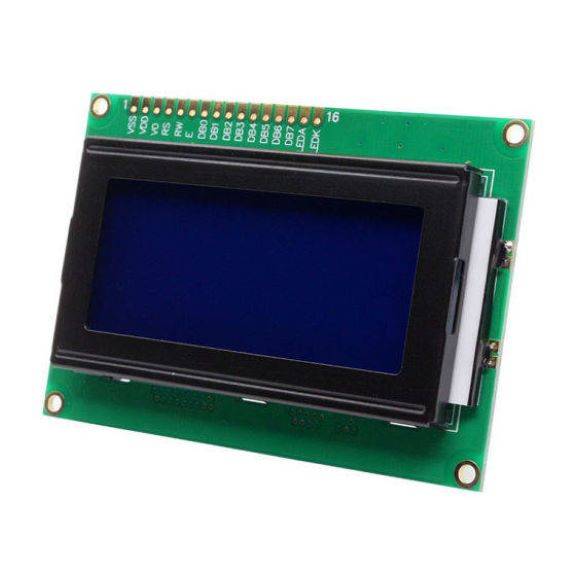
1604A LCD Blue Screen 4 Row:
With 16 columns and 4 rows for text display, the 1604A LCD is a 16x4 character display. It's often utilized in many different electronics projects, particularly those that involve microcontrollers like Arduino.
Here are some of its main attributes along with usage advice:
Controller: The HD44780 or a comparable controller, which is widely supported by libraries, is usually used.
Interface: It can be interfaced with an additional module via I2C or using parallel communication (4- or 8-bit mode).
Backlight: Due to its aesthetically pleasing and readable nature, the blue screen with white writing is a popular option.
Simple Arduino Setup
To begin using an Arduino, you can take the following actions:
Materials Needed:
Arduino board (e.g., UNO or MEGA)
1604A LCD
Potentiometer (10k Ohm) for contrast adjustment
Jumper wires
Breadboard
Wiring:
Connect the LCD pins to the Arduino as follows:
VSS to GND
VDD to 5V
V0 to the middle pin of the potentiometer
RS to digital pin 12
RW to GND
E to digital pin 11
D4 to digital pin 5
D5 to digital pin 4
D6 to digital pin 3
D7 to digital pin 2
A (Anode) to 5V through a current-limiting resistor