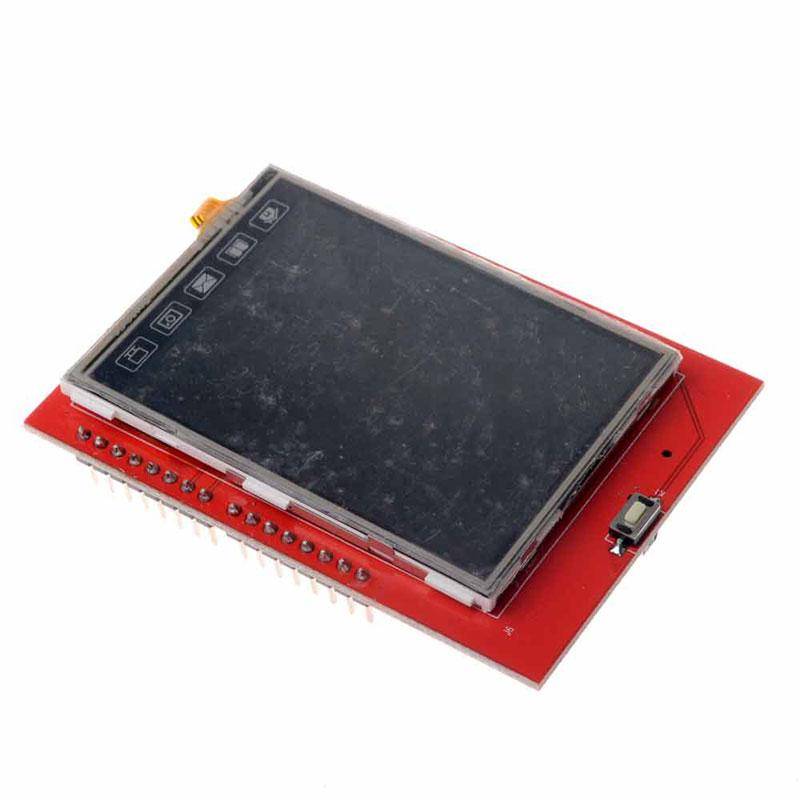
2.4 Inch TFT Touch Display Shield (Arduino) 2.4 Inch TFT Touch Display Shield (Arduino) 2.4 Inch TFT Touch Display Shield (Arduino) 2.4 Inch TFT Touch Display Shield (Arduino) 2.4 Inch TFT Touch Display Shield (Arduino) 2.4 Inch TFT Touch Display Shield (Arduino)
2.4 Inch TFT Touch Display Shield (Arduino) 2.4 Inch TFT Touch Display Shield (Arduino) 2.4 Inch TFT Touch Display Shield (Arduino) 2.4 Inch TFT Touch Display Shield (Arduino)
2.4 Inch TFT Touch Display Shield (Arduino)
+2

2.4 Inch TFT Touch Display Shield (Arduino)

New 5 available
Only 5 left – grab it before it’s gone!
R149.80
Shipping
R35.00 Standard shipping using one of our trusted couriers applies to most areas in South Africa. Some areas may attract a R30.00 surcharge. This will be calculated at checkout if applicable.
Check my rate
The seller has indicated that they will usually have this item ready to ship within 3 business days. Shipping time depends on your delivery address. The most accurate delivery time will be calculated at checkout, but in general, the following shipping times apply:
 
Standard Delivery
Main centres:  1-3 business days
Regional areas: 3-4 business days
Remote areas: 3-5 business days
Seller
Buyer protection
Get it now, pay later

Product details

Condition
New
Location
South Africa
Customer ratings
Product code
C02-B00
Bob Shop ID
647556846

Description

There is now wiring complications with these, just plug it into your Arduino Uno. These units also incorporates a SD card module for a SD Micro card (not included).

ALL OUR ITEMS ARE LOCALLY STOCKED AND SHIPS IMMEDIATELY!

Specifications

2.4 Inch TFT Pinout

  • Size : 2.4 inch TFT TOUCH SCREEN
  • Resolution : 240 * 320
  • Weight: 34.2g
  • SD Micro Card Module integrated

It's actually ridiculously easy to get these displays up and running! Just follow the following 3 steps (needles to say ensure you have setup the IDE).

Step 1

Navigate to "Tools" -> "Manage Libraries"

Step 2;

Type "MCUFriend" in search box and install the latest library

Install Arduino MCUFriend TFT library

Step 3;

Navigate to "File" -> "Examples" -> "MCUFriend_kbv" -> "Touchscreen_Calibr_native"

Arduino IDE open the TFT example code

Upload the sketch to your device, in less than 10 minutes you have a touch display on your Arduino!!


Add to cart

Similar products

Customer ratings: 1 ratings

Great service
25 Jun 2026
Don't miss out on the latest deals!