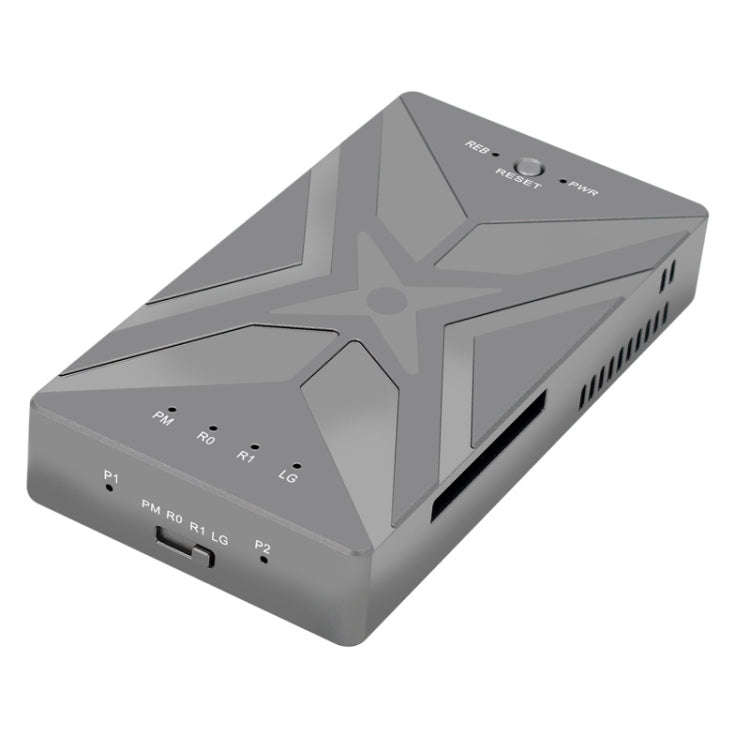


Dual M.2 NVME SSD RAID Array Mobile Hard Drive Enclosure Type-C USB3.2 GEN2x2 20G 586R, PH8586R Dual M.2 NVME SSD RAID Array Mobile Hard Drive Enclosure Type-C USB3.2 GEN2x2 20G 586R, PH8586R Dual M.2 NVME SSD RAID Array Mobile Hard Drive Enclosure Type-C USB3.2 GEN2x2 20G 586R, PH8586R Dual M.2 NVME SSD RAID Array Mobile Hard Drive Enclosure Type-C USB3.2 GEN2x2 20G 586R, PH8586R Dual M.2 NVME SSD RAID Array Mobile Hard Drive Enclosure Type-C USB3.2 GEN2x2 20G 586R, PH8586R Dual M.2 NVME SSD RAID Array Mobile Hard Drive Enclosure Type-C USB3.2 GEN2x2 20G 586R, PH8586R Dual M.2 NVME SSD RAID Array Mobile Hard Drive Enclosure Type-C USB3.2 GEN2x2 20G 586R, PH8586R Dual M.2 NVME SSD RAID Array Mobile Hard Drive Enclosure Type-C USB3.2 GEN2x2 20G 586R, PH8586R Dual M.2 NVME SSD RAID Array Mobile Hard Drive Enclosure Type-C USB3.2 GEN2x2 20G 586R, PH8586R Dual M.2 NVME SSD RAID Array Mobile Hard Drive Enclosure Type-C USB3.2 GEN2x2 20G 586R, PH8586R Dual M.2 NVME SSD RAID Array Mobile Hard Drive Enclosure Type-C USB3.2 GEN2x2 20G 586R, PH8586R Dual M.2 NVME SSD RAID Array Mobile Hard Drive Enclosure Type-C USB3.2 GEN2x2 20G 586R, PH8586R Dual M.2 NVME SSD RAID Array Mobile Hard Drive Enclosure Type-C USB3.2 GEN2x2 20G 586R, PH8586R
Dual M.2 NVME SSD RAID Array Mobile Hard Drive Enclosure Type-C USB3.2 GEN2x2 20G 586R, PH8586R Dual M.2 NVME SSD RAID Array Mobile Hard Drive Enclosure Type-C USB3.2 GEN2x2 20G 586R, PH8586R Dual M.2 NVME SSD RAID Array Mobile Hard Drive Enclosure Type-C USB3.2 GEN2x2 20G 586R, PH8586R Dual M.2 NVME SSD RAID Array Mobile Hard Drive Enclosure Type-C USB3.2 GEN2x2 20G 586R, PH8586R
Dual M.2 NVME SSD RAID Array Mobile Hard Drive Enclosure Type-C USB3.2 GEN2x2 20G 586R, PH8586R
+9

Dual M.2 NVME SSD RAID Array Mobile Hard Drive Enclosure Type-C USB3.2 GEN2x2 20G 586R, PH8586R

New 10 available
R1,667.29
Want to pay less?
Shipping
R35.00 Standard shipping using one of our trusted couriers applies to most areas in South Africa. Some areas may attract a R30.00 surcharge. This will be calculated at checkout if applicable.
Check my rate
The seller has indicated that they will usually have this item ready to ship within 15 business days. Shipping time depends on your delivery address. The most accurate delivery time will be calculated at checkout, but in general, the following shipping times apply:
 
Standard Delivery
Main centres:  1-3 business days
Regional areas: 3-4 business days
Remote areas: 3-5 business days
Seller
Get it now, pay later

Product details

Condition
New
Location
South Africa
Product code
11707372
Bob Shop ID
678630198

1. Support capacity: 4TB
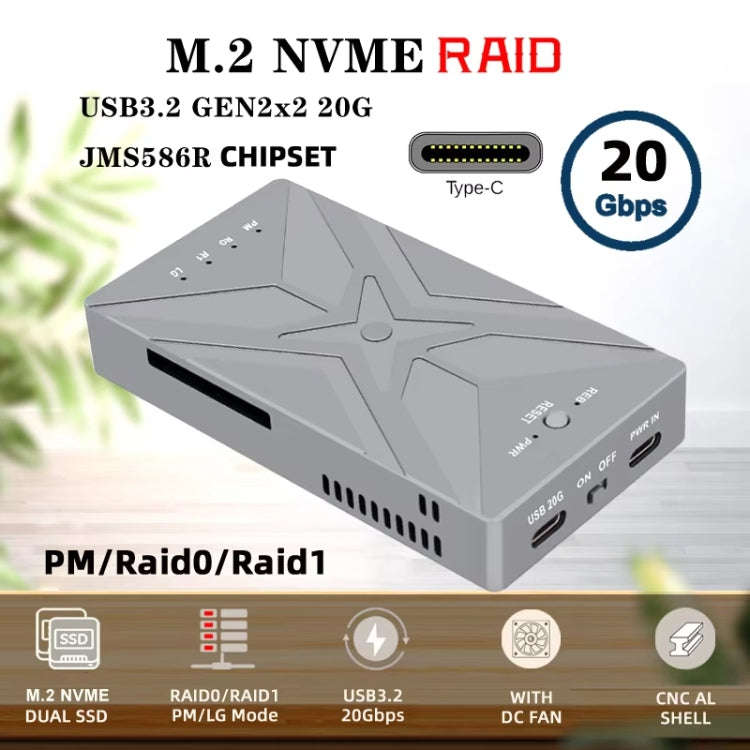
2. Transfer interface: USB2.0, USB3.0, USB3.1, USB3.2, USB4
3. Transmission speed: 20Gbps
4. Master control: JMS586R
5. Power interface: Type-C
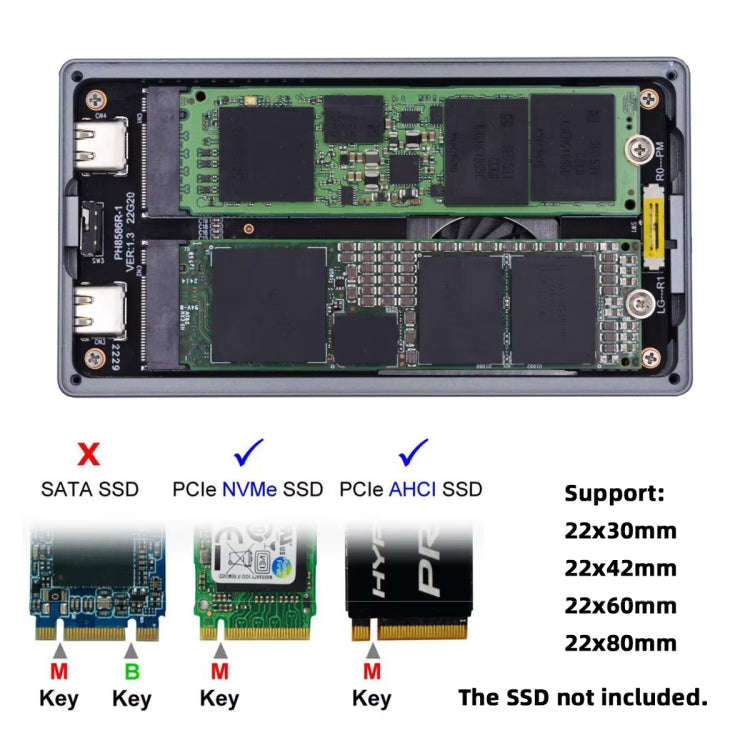
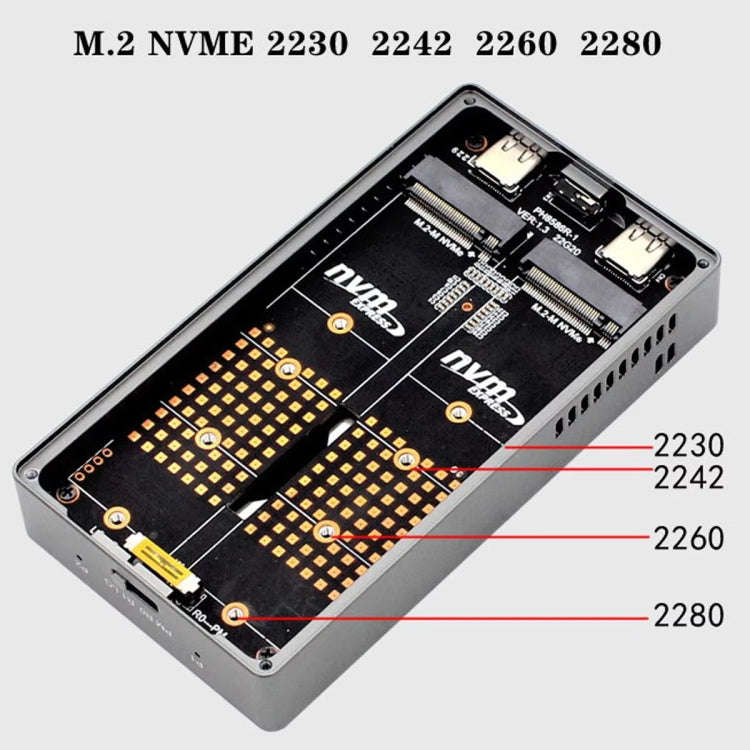
6. Suitable for multiple SSD specifications: M.2 NVME 2230 2242 2260 2280
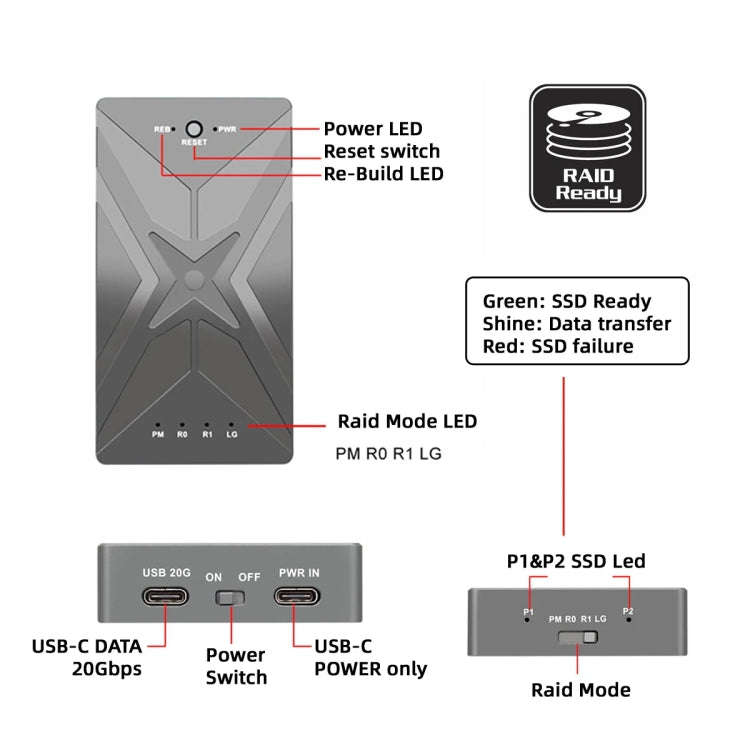
7. P1/P2 SSD indicator: green light on when SSD recognition is normal, green light blinks when reading and writing data, red light blinks when SSD is faulty
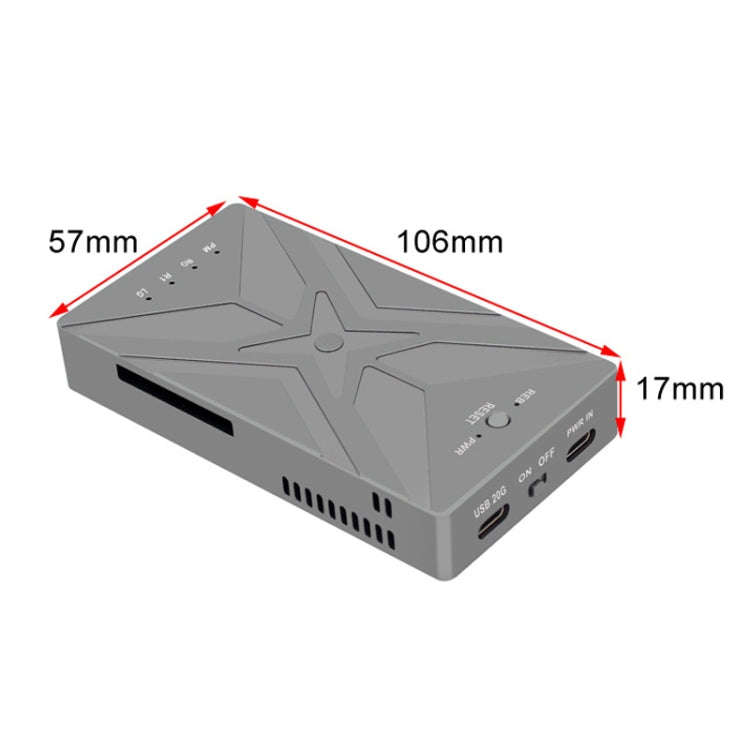
8. Size: about 10.6 x 5.7 x 1.7cm
9. Weight: about 168.8g

Features:
1. Mobile storage, convenient, Type-C data interface, compatible with computers, tablets, cell phones
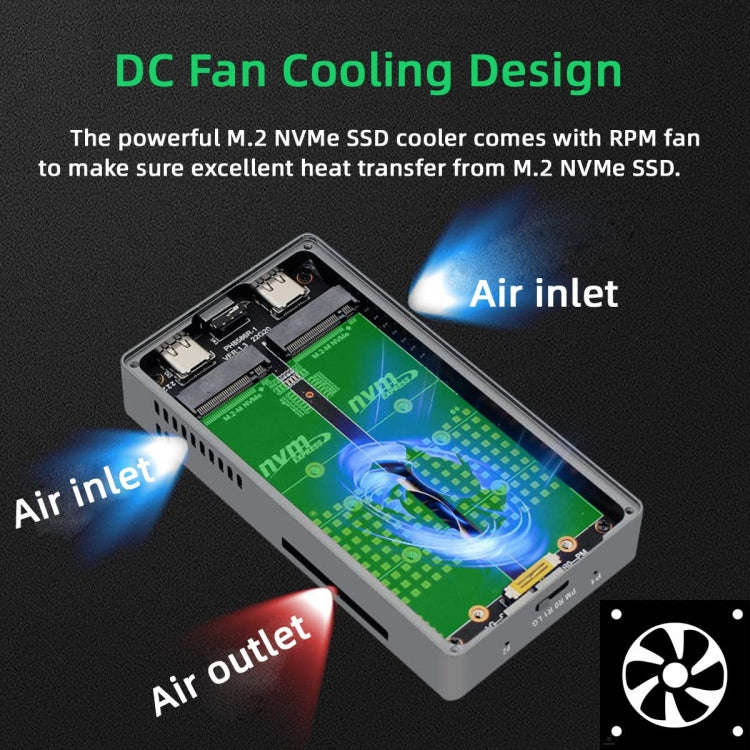
2. Quiet cooling fan, accelerate the hard disk cooling, make the operation more stable
3. Misdialing, mistakenly touching RAID mode and RESET will not change the array, press and hold the RESET button and then turn on the power to change the array
4. RAID1 mode switch to PM mode, split into two independent disks, one of the disks in the offline state, enter the disk manager to offline disk online, RAID1 mode data still exists in the two disks
5. 5 minutes, no data read and write, the device enters the automatic sleep state, reduce power consumption, protect the life of the hard disk
6. Replacement of SSD specifications can be installed directly, without opening the board, convenient and fast

RAID mode setup steps:
1. Install the SSD, plug in the data and power cables, and then turn off the power
2. Set the RAID mode to the desired position
3. Press and hold the reset button, then turn on the power switch and release the reset button after 3s of beeping
4. After the RAID setup is complete, you need to enter disk manager for initialization
5. Note: data will be lost when switching RAID modes, so please be careful
6. Suggestion: backup your data before switching RAID mode

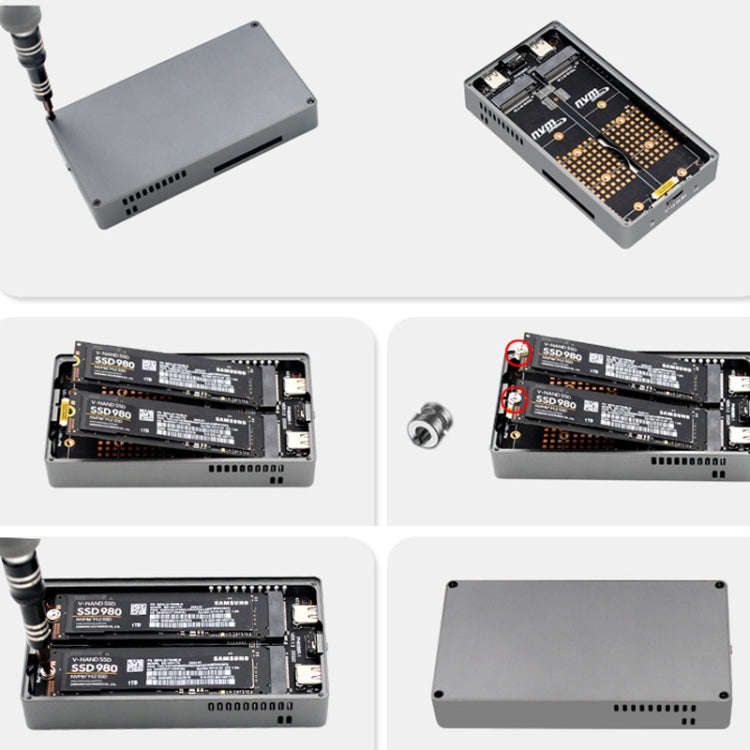
Installation steps:
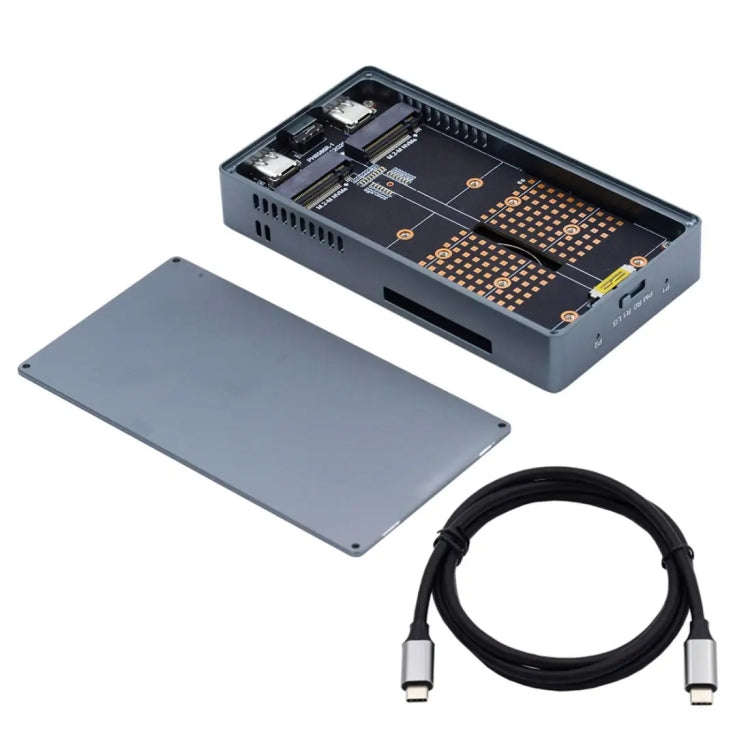
1. Open the bottom cover
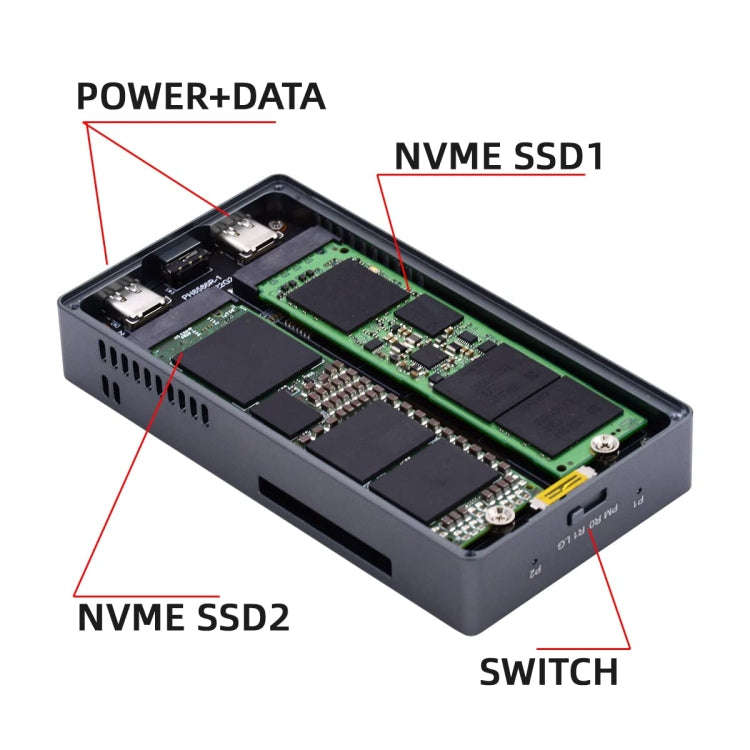
2. Insert the SSD into the M.2 NVME connector at an angle of 45 degrees
3. Attach the removable studs to the end of the SSD.
4. Use a screwdriver to lock the studs onto the board
5. Close the bottom cover and lock the screws.

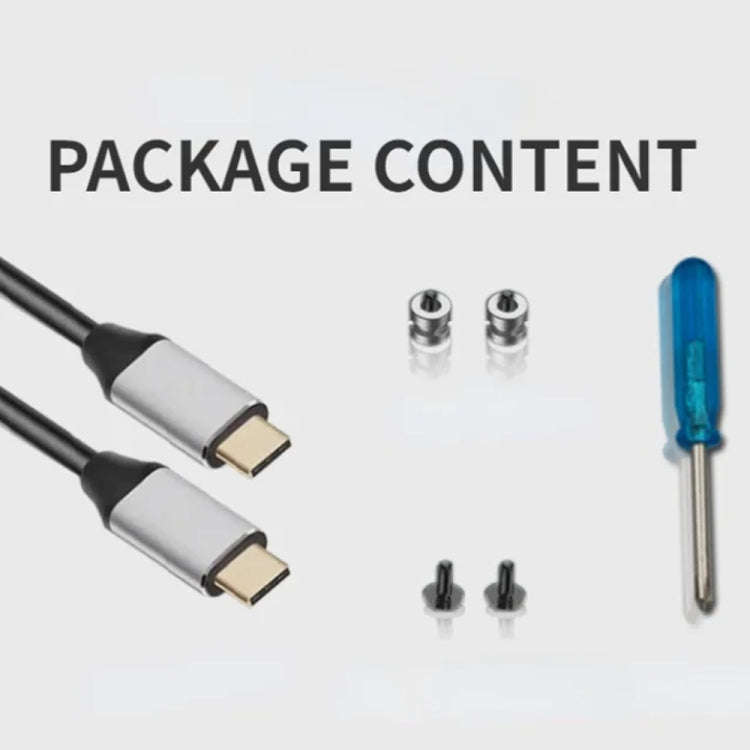
Packing list:
- HDD case x 1
- Type-C cable x 1
- Screwdriver x 1
- Moving studs x 2
- Housing screws x 2

Add to cart

Similar products