EDArduino Nano 3.0 ATmega328 (Arduino Compatible)

EDArduino Nano 3.0 ATmega328 (Arduino Compatible)

New 7 available
R324.01
Shipping
R35.00 Standard shipping using one of our trusted couriers applies to most areas in South Africa. Some areas may attract a R30.00 surcharge. This will be calculated at checkout if applicable.
Check my rate
The seller allows collection for this item. Buyers will receive the collection address and time once the order is ready.
The seller has indicated that they will usually have this item ready to ship within 1 business day. Shipping time depends on your delivery address. The most accurate delivery time will be calculated at checkout, but in general, the following shipping times apply:
 
Standard Delivery
Main centres:  1-3 business days
Regional areas: 3-4 business days
Remote areas: 3-5 business days
Seller
Get it now, pay later

Product details

Condition
New
Location
South Africa
Board Type
Nano
Brand
Arduino
Product code
DEV-00113
Bob Shop ID
660173625

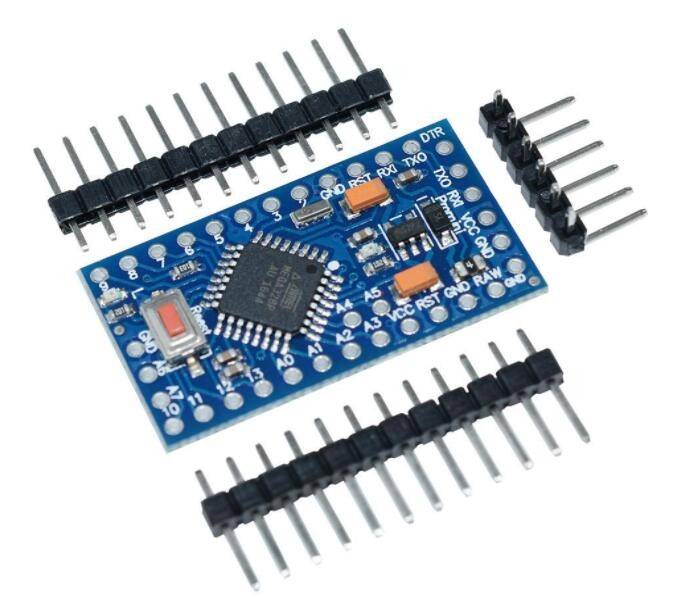
The Arduino Nano is a small, complete, and breadboard-friendly board based on the ATmega328. It has more or less the same functionality of the Arduino Duemilanove, but in a different package. It lacks only a DC power jack, and works with a Mini-B USB cable instead of a standard one.

Please note the break away pins headers of this board is not yet soldered.

Specifications:

  • MCU: ATmega328
  • Operating Voltage (logic level): 5V
  • Input Voltage (recommended): 7-12V
  • Input Voltage (limits): 6-20 V
  • Digital I/O Pins: 14 (of which 6 provide PWM output)
  • Analog Input Pins: 8
  • DC Current per I/O Pin: 40 mA
  • Flash Memory: 32 KB (ATmega328) of which 2 KB used by bootloader
  • SRAM: 2 KB (ATmega328)
  • EEPROM: 1 KB (ATmega328)
  • Clock Speed: 16 MHz
  • Dimensions: 0.73 x 1.70
  • This board uses the FT232RL serial chipset.

Documentation:

Find inspiration for your projects with the Nano board from our tutorial platform Project Hub

You can find in the Getting Started with Arduino Nano section section all the information you need to configure your board, use the Arduino Software (IDE) and start tinkering with coding and electronics.

From the Tutorials section you can find examples from libraries and built-in sketches as well other useful information to expand your knowledge of the Arduino hardware and software.

Add to cart

Similar products