



| Main centres: | 1-3 business days |
| Regional areas: | 3-4 business days |
| Remote areas: | 3-5 business days |
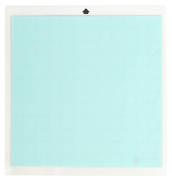
Use the PixScan mat with you Silhouette Cameo and Studio software to cut precisely around a printed design or when you need to position cut lines in a specific location on your material.
This mat measures 11.687"X12.812" with a cutting area of 8.5"X11.5".
NOTE: This mat only works with the Cameo and Version 3.1 (or higher) software.
CAMEO PixScan™ cutting mat
Unlock a whole new world of project possibilities with PixScan™ technology.
Simply use the 8.5 in. x 11.5 in. PixScan™ mat and your Silhouette to cut precisely around a printed design or position cut lines in a specific location on your material.
The PixScan™ mat is ideal for:
1 CAMEO PixScan™ 8.5 in. x 11.5 in. mat
PixScan™ technology is a feature of the Silhouette cutting system that provides crafters and makers the ability to capture an image using a scanner or camera (including smartphones and tablets) and then import images directly into the Silhouette Studio® software in order to cut precisely around any printed design.
The PixScan™ feature is found in all versions of the Silhouette Studio® software V3.1 and higher and requires the use of a PixScan™ Cutting Mat.
The PixScan™ algorithm allows your Silhouette to recognize registration marks which appear on the PixScan™ mat itself in order to cut your material preceisely as youve indicated on the associated image within software.
PixScan™ is ideal for:
PixScan™ is only intended to help digitize your original artwork and photos.
The PixScan™ mats are offered for the Portrait and CAMEO models.
Please click here for further information, including a link to a demo video.
PixScan™ can be used as follows:


