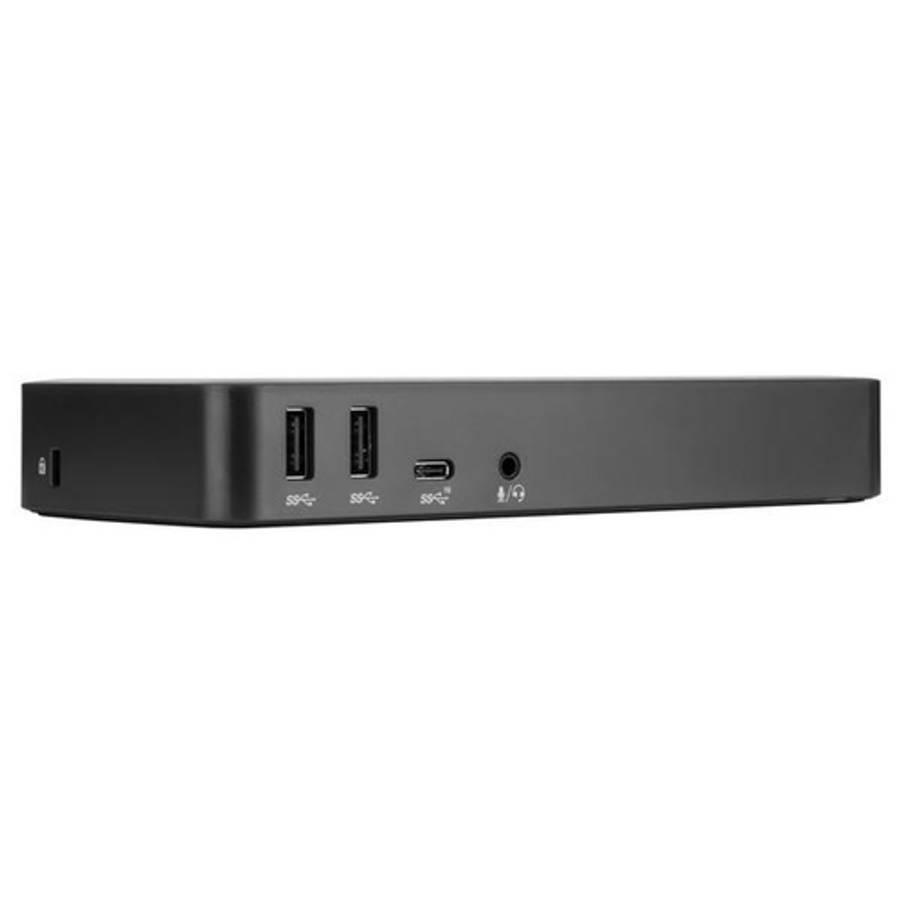
TARGUS · DOCK230EUZ · THUNDERBOLT 5
Make room for a more connected desk.
Bring displays, storage, wired networking and laptop charging together through one Thunderbolt connection. The silver DOCK230EUZ combines a Thunderbolt 5 host link with three downstream Thunderbolt ports, four USB-A connections and 2.5 Gigabit Ethernet. Its capabilities scale with the laptop you connect, so choosing the right host matters as much as choosing the dock.

Thunderbolt 5Up to 80 Gbps data
Up to 140 WCompatible PD 3.1 EPR host
3 display pathsHost-dependent configuration
2.5 GbEWired network connection
WORKSPACE
A single connection, with room to expand
Connect the supplied detachable Thunderbolt cable to a compatible laptop, then leave your desktop peripherals attached to the dock. Three downstream Thunderbolt 5 ports carry compatible data and display connections; four USB 3.2 Gen 2 Type-A ports handle existing accessories. The 80 Gbps data rate is a link capability, shared across connected work rather than an individual-drive speed guarantee.
DISPLAY PLANNING
Choose the screens around your host
The exact European model is specified for single or dual 8K displays, or up to three 4K displays. Triple video requires a Thunderbolt 5 host that supports the required display streams. The GPU, operating system, monitor and cable also determine the available modes. A Thunderbolt or USB-C connector alone does not establish three extended displays on every Windows laptop or Mac.
POWER DELIVERY
Charge the laptop, not another collection of adapters
A compatible PD 3.1 Extended Power Range laptop can negotiate up to 140 W from the dock. Compatible PD 3.0 hosts receive up to 100 W; a second host used for Thunderbolt Share receives 15 W. These are charging ceilings, not measured energy consumption. A high-load laptop may still need its original power adapter if its demand exceeds the negotiated supply.
PERIPHERALS
Keep the familiar connections close
Attach wired networking through the 2.5 Gigabit Ethernet port and connect headphones, speakers or a microphone headset through the 3.5 mm combination audio socket. Four 10 Gbps USB-A ports include one fast-charging connection. Network equipment, storage devices and the host link determine real transfer rates; the port labels do not promise internet speed.
TWO-PC WORK
Share a workspace with supported PCs
The included Thunderbolt Share licence enables supported PCs to share files, screens and peripherals through the required software. Install the application on both supported computers and follow the manufacturer setup instructions. This software-based workflow has its own host and operating-system requirements; do not assume Mac support from a planned release date or treat it as an unconditional hardware KVM.
THE DESKTOP DETAILS
A silver enclosure with flexible placement
The 17.8 × 7.8 × 5 cm dock can sit beside the laptop or use a compatible VESA mount, available separately. Standard and Nano security lock slots provide mounting options for separately purchased locks. The EcoSmart enclosure uses recycled aluminium and plastic; the manufacturer describes the recycled proportion as up to 75%.
GET STARTED
The cable path is part of the setup
The listed package includes the dock, quick-start guide, 180 W desktop power adapter, 1 m detachable passive Thunderbolt 5 cable and two 2 m USB-C-to-HDMI video cables. Use the regional supplied mains lead confirmed with your order. For a third HDMI display or another connector type, plan a suitable additional cable or adapter and verify the full resolution and refresh combination before buying.
Display count, resolution, refresh rate and charging depend on the exact laptop, operating system, cables and monitors. Thunderbolt 4 and USB4 compatibility does not provide all Thunderbolt 5 capabilities. Use the official DOCK230 support page to select applicable guides, drivers or updates; no particular firmware release or universal Mac triple-display operation is promised.