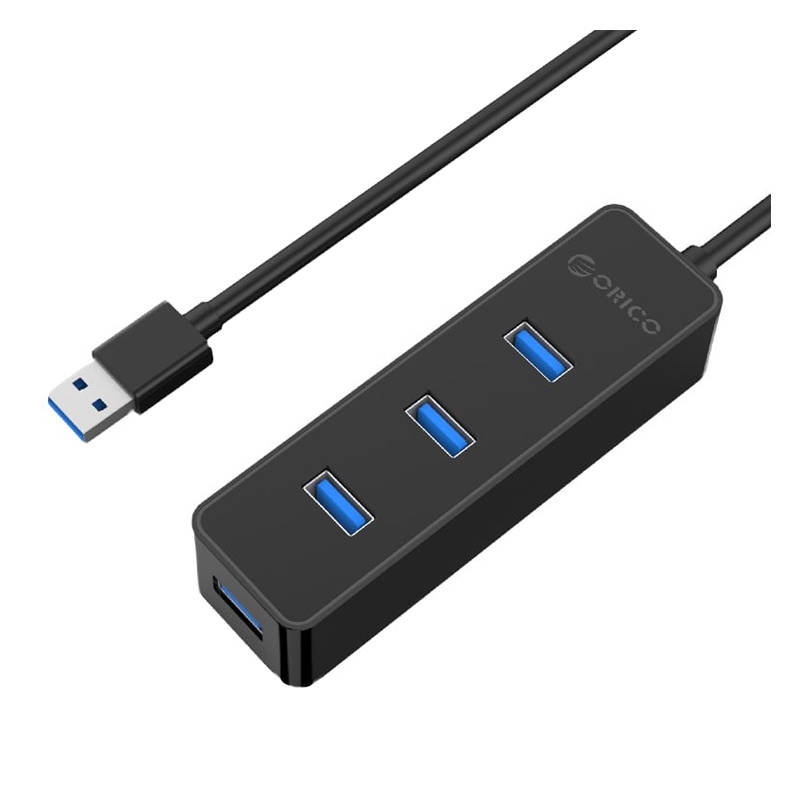
A compact 6-port USB hub that expands your laptop or desktop with three USB 3.0and three USB 2.0 ports. Designed for everyday office peripherals, it offersplug-and-play convenience, universal compatibility, and built-in safety featuresin a lightweight, travel-friendly design.What makes this a smart choice for you? * 6 ports total: 3× USB 3.0 (5Gbps) + 3× USB 2.0 (480Mbps) * Compact and lightweighteasy to carry anywhere * Plug and play, no drivers required * Passive heat-safe housing with built-in protection * Works with Windows, Mac, Linux, and Android devicesExactly what do you get inside?Included Items * 1 × 6-Port USB Hub * 1 × User ManualWill the specs fit your needs?ModelH6Dimensions2 × 8 × 9.5 cm (0.79 × 3.15 × 3.74 in)Weight100 g (0.22 lb)MaterialsPlastic (ABS)USB Ports6 (3× USB 3.0, 3× USB 2.0)Power InputBus-powered (no external power)CompatibilityWindows, Mac, Linux, AndroidPackaging Size3.5 × 10 × 12 cm (1.38 × 3.94 × 4.72 in)SafetyOvervoltage, overcurrent, heat, short circuit protectionHow do you set it up and keep it in great shape? 1. Plug the USB hub into an available port on your laptop or desktop. 2. Connect peripherals such as keyboards, mice, or storage drives to the hub. 3. No drivers requiredready to use instantly.Care Tips * Avoid exposure to moisture or extreme temperatures. * For best results, connect only low-power peripherals. * Unplug when not in use to extend lifespan.If something goes wrong, how are you covered?This product is covered by a Limited 6-Month Warranty. For support, please referto the included manual or contact the seller directly for assistance withreplacements or service.Answers to common questions (FAQ)Is this hub suitable for travel?Yes, it's compact and lightweight, making it easy to carry in a laptop bag.Can I connect external hard drives or other high-power devices?It's designed for low-power peripherals. High-power devices may require theirown power source.Does it require installation or drivers?No, it's plug and play on all supported operating systems.How should I clean or care for it?Wipe with a dry cloth. Avoid liquids or harsh cleaners. Store in a cool, dryplace.Is it safe to use with all devices?Yes, it includes protection against overvoltage, overcurrent, heat, and shortcircuits. Still, avoid overloading with too many high-demand devices.