

| Main centres: | 1-3 business days |
| Regional areas: | 3-4 business days |
| Remote areas: | 3-5 business days |
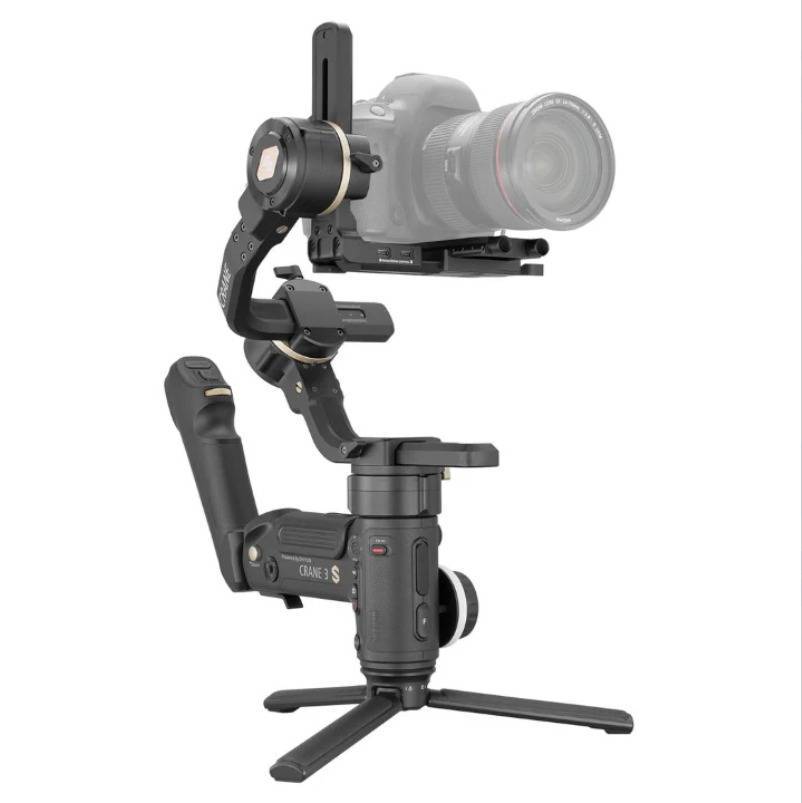
The Zhiyun CRANE 3S is a heavy-duty professional camera gimbal built for cinema cameras, large rigs, and fast-moving productions. One of its biggest strengths is the wide range of intelligent shooting modes, allowing filmmakers to switch instantly between smooth, stable shots and high-intensity action movements.
Below is a clean breakdown of every major mode and its real-world use case.
🎬 Main Shooting Modes
1. Pan Follow (PF)
What it does:
Pan follows your movements.
Tilt and Roll are locked.
Best for:
Smooth horizontal movements
Following a subject across a scene
Walking shots
Landscape pans with a level horizon
Shot style:
Stable, controlled, cinematic pans.
2. Full Follow (F / Follow Mode)
What it does:
Pan, Tilt, and Roll axes all follow your handle movements.
Best for:
Active movements where the camera needs to respond naturally
Tracking subjects moving up/down or diagonally
Freestyle camera operation
Shot style:
Dynamic, fluid, and responsivegreat for run-and-gun filmmaking.
3. Lock Mode (L)
What it does:
All three axes are locked and the camera stays pointed at one fixed angle.
The gimbal compensates for every movement you make.
Best for:
Push-ins / pull-outs
Dolly-style shots
Crane-like vertical moves
Scenes requiring precise framing
Shot style:
Perfectly stable, locked-off movementeven while you move.
4. POV Mode (Point of View)
What it does:
All axes follow your movement, including Roll, up to approx. 45°.
Adds natural, slight rolling movement to the frame.
Best for:
Immersive in the scene perspectives
Music videos
Action sequences
Handheld-style look with controlled roll
Shot style:
Energetic and immersivecaptures the operators motion naturally.
5. Go Mode
What it does:
Same as Follow Mode, but motors respond at maximum speed.
Extremely sensitive to fast movement.
Best for:
Sports
Running shots
Car-to-car filming
Sudden, rapid direction changes
High-speed chases
Shot style:
Ultra-responsive and fastgreat for intense action.
6. Vortex Mode
What it does:
Tilts the camera upward
Unlocks the Roll axis for full 360° rotation
Enables continuous barrel-roll effects
Best for:
Creative transitions
Music videos
Abstract cinematic shots
Visual disorientation effects
Shot style:
Dramatic, stylized rotational shots with a futuristic look.
Why These Modes Matter on the CRANE 3S
The CRANE 3S is built for demanding filmmaking environmentsfilm sets, commercials, action sequences, and heavy cinema rigs. The ability to switch modes instantly via the handle controls means you can:
Start in Pan Follow for a stable walk-through,
Jump into Go Mode to follow sudden action,
Hit Vortex Mode for a creative transition
all within the same continuous take.
This flexibility makes the CRANE 3S a top-tier tool for cinematographers who need speed, power, and creative freedom.